
VarAC V17.1.9 brings practical changes for operators who use the digital messaging application for cluster communications, station activity mapping, and VMail. The release also adds two Hamplay games, expands map controls, improves file handling, and fixes a range of interface and connection issues.
The biggest changes are the Cluster Broadcast Bridge, persistent Chess and Battleship games over a radio link, a VMail Archive, and vector maps that remain clear at closer zoom levels. This guide summarizes the announcement and explains which operators are most likely to benefit.
VarAC V17.1.9 at a glance
- For cluster operators: relay a broadcast through every node using the Cluster Broadcast Bridge.
- For Hamplay users: play Chess or Battleship with another station; Chess games can resume after a connection ends.
- For VMail users: archive messages and use longer subject lines, a dedicated attachment directory, and other workflow improvements.
- For map users: zoom further with vector maps, filter activity by 3, 6, or 12 hours, and spot internet gateways by their globe icon.
- For all operators: the release includes connection warnings, safer handling of incoming BBS files, and numerous fixes.
Cluster Broadcast Bridge sends a message across the cluster
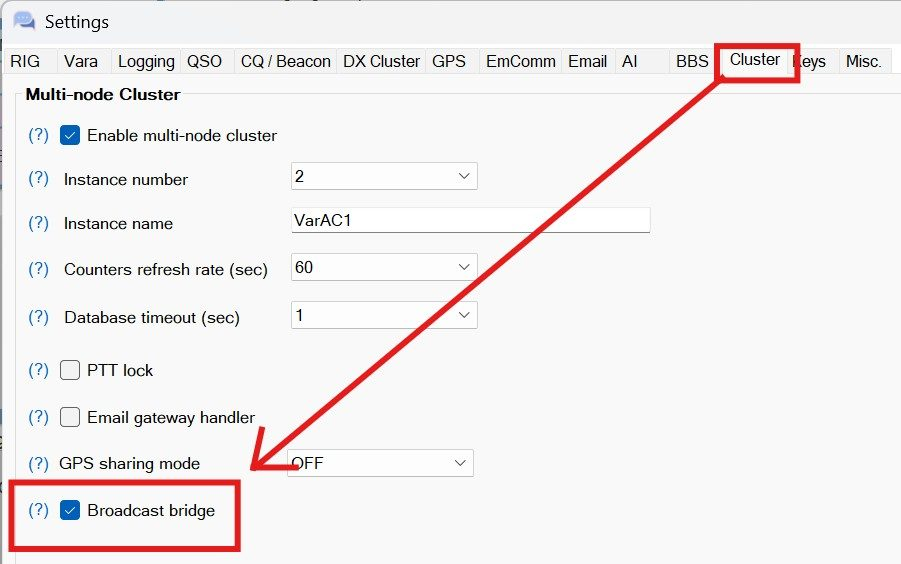
The new bridge lets a cluster operator distribute one broadcast across every node in the cluster. Enable it under Settings → Cluster → Broadcast bridge. When it is enabled, operators can send a broadcast to a cluster station with <CB>, or send <CB:your message> while connected to a cluster station. VarAC also lists the command among the available cluster services.
This is most relevant to groups that operate several connected nodes and want to share the same notice across their network. The announcement’s screenshots show both the setting and the command displayed in the cluster services list.

Chess and Battleship come to Hamplay
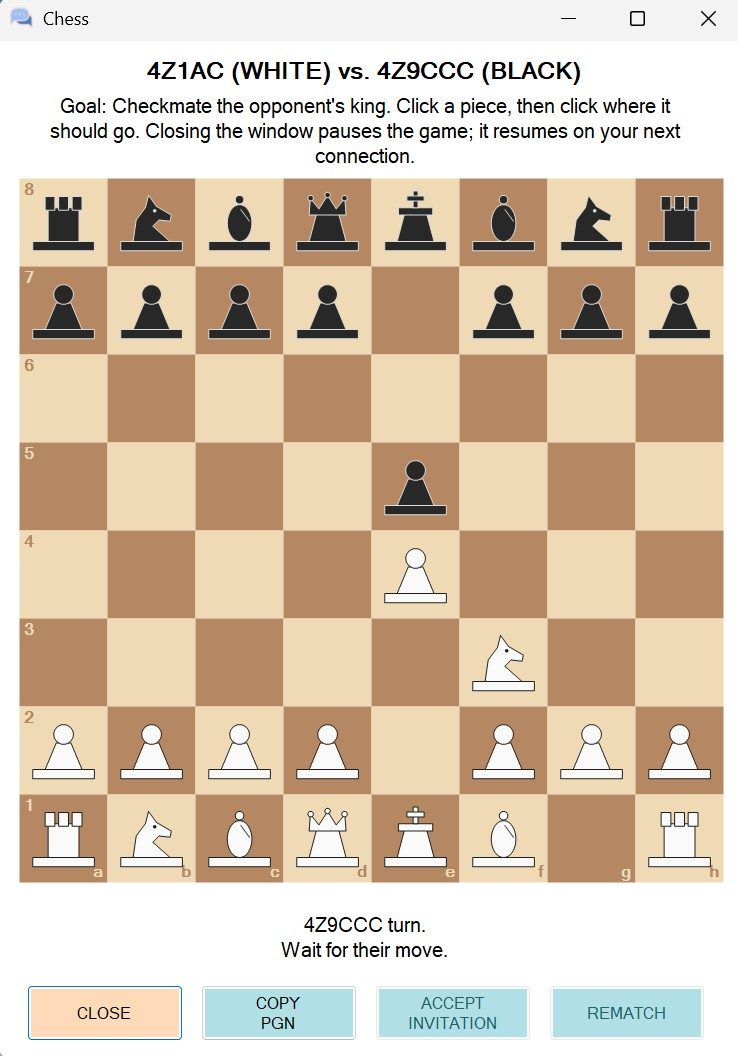
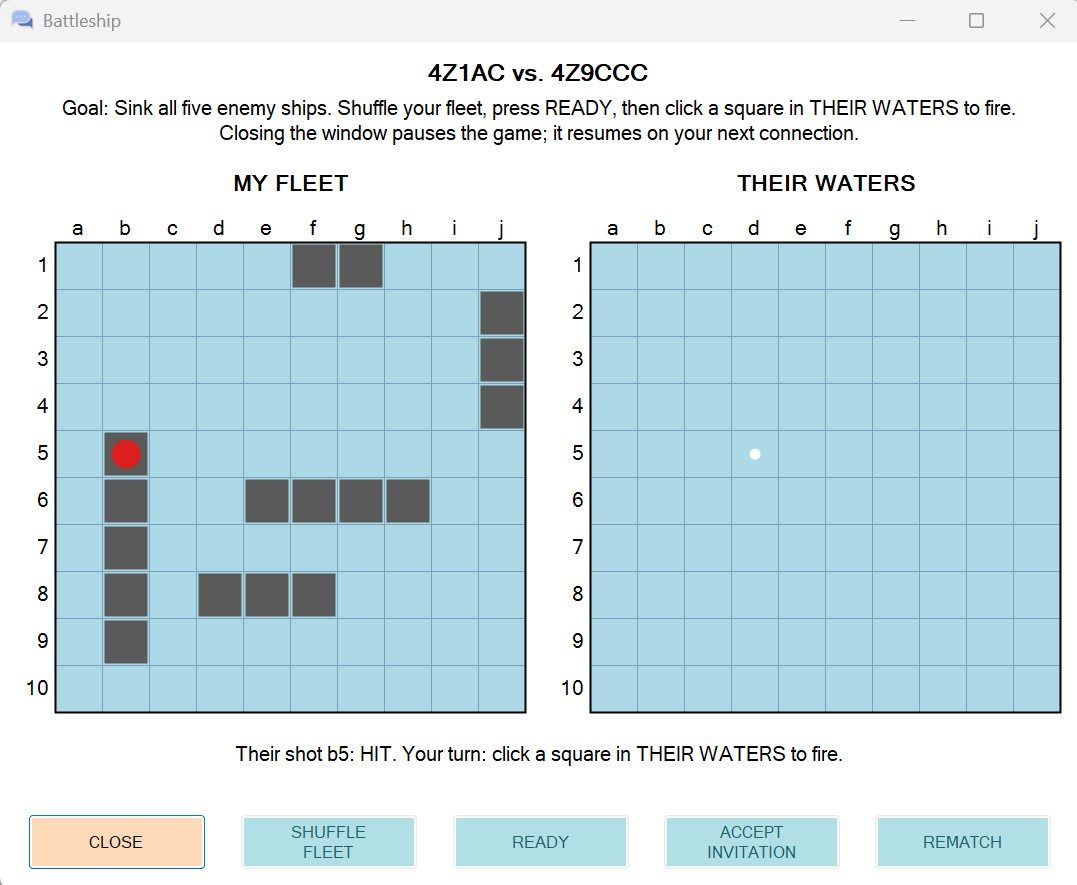
V17.1.9 adds two games to Hamplay. Operators can challenge another station to Chess or Battleship through VarAC. A Chess game’s state is preserved if propagation changes or the connection drops, so the players can resume when they establish another link, even later.
These are optional social features rather than changes to VarAC’s core messaging. Chess’s ability to continue across sessions is especially suited to HF contacts, where a stable connection cannot always be assumed.
VMail Archive and inbox improvements
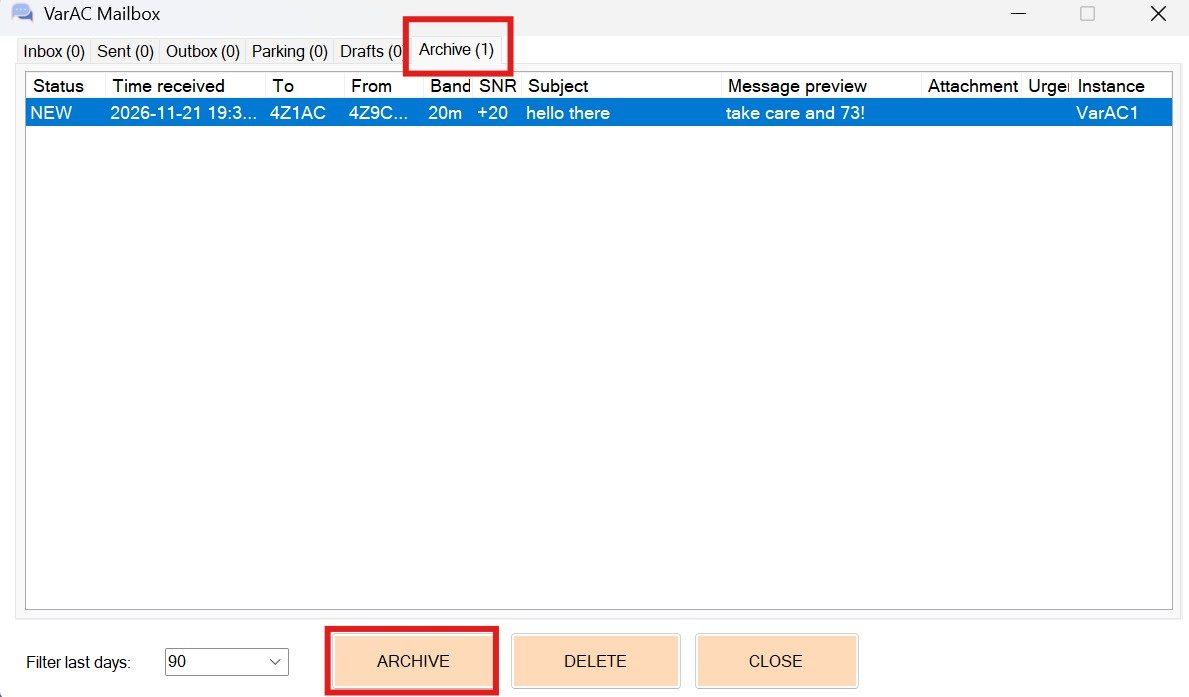
The new VMail Archive lets operators retain messages without keeping them in the active inbox. Other VMail changes in the announcement include:
- VMail subjects can be up to 80 characters, increased from 50.
- Attachments have a separate default directory from other transfers and BBS files.
- Selected attachments open above other windows.
- When replying, the cursor moves to the end of the message body.
- The fixed-width font changes from Courier New to Consolas.
- Flagged words can be added directly to the spelling dictionary.
Vector maps, activity filters, and gateway markers
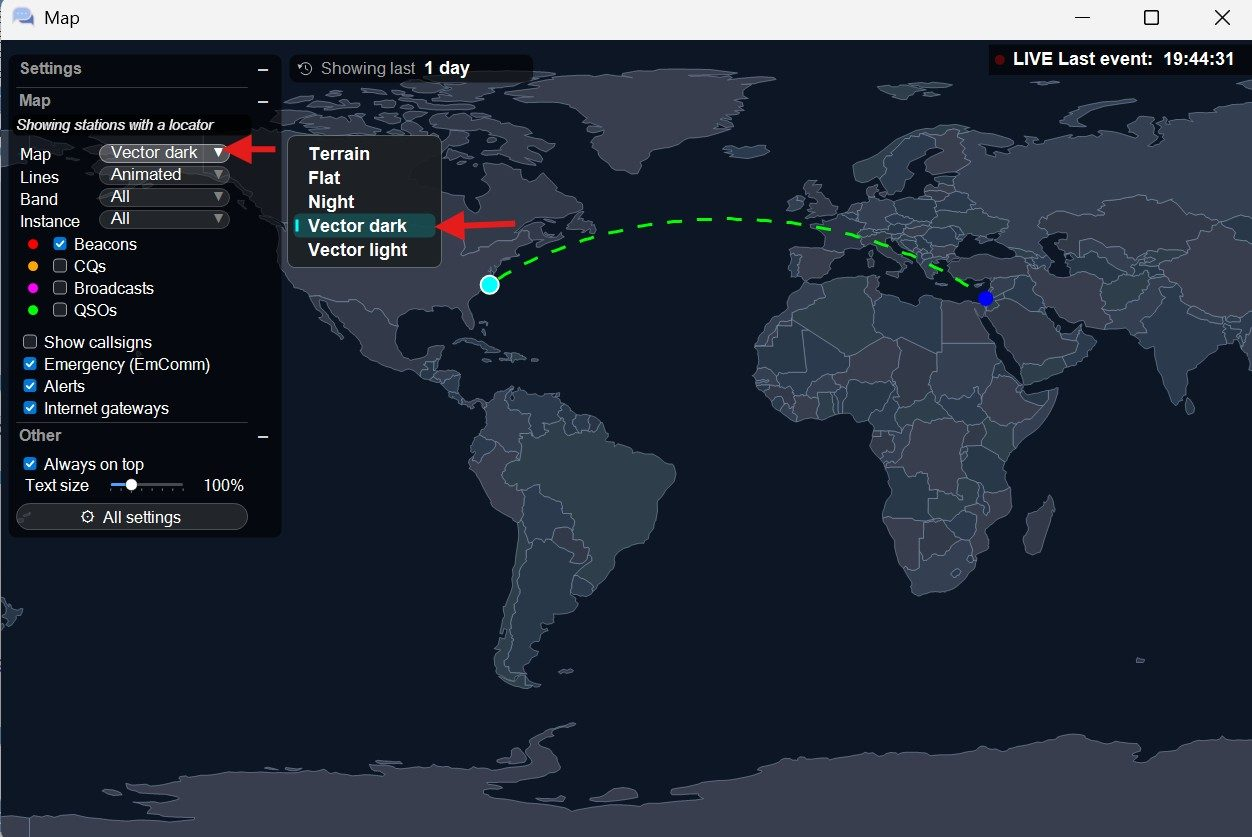
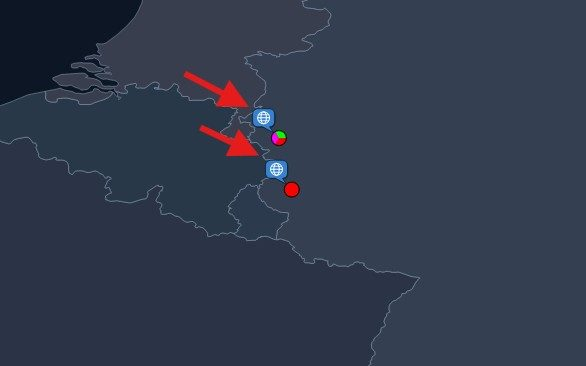
VarAC’s map gains vector data, allowing operators to zoom in further while borders and coastlines remain sharp. Three additional activity filters—3 hours, 6 hours, and 12 hours—make it easier to focus on recent station activity. Internet gateway stations now appear with a small globe icon.
These additions make the map more useful both for inspecting a local area and for distinguishing gateway stations from other activity.
More controls and language support
Operators can now enable or disable the antenna rotator from the main console. The mute control moves to the lower-left strip as a clickable speaker icon. AI Translate adds Dutch support, and EmComm mode can set the default Urgent status for VMails.
VarAC also warns before an operator attempts to connect while another connection is active or a connection attempt is already underway. This should help avoid conflicting session attempts.
File handling and reliability fixes
The release adds checks for incoming BBS files, sanitizes filenames, renames BAT file suffixes, and blocks more file types from being automatically executed. These are safeguards described in the announcement; operators should still use care with files received over the air.
Other fixes include:
- Ping support for 7-character callsigns.
- Correct handling of lower-case locators.
- Replies to Last Heard peeking no longer include the requesting station’s callsign.
- SNR and GPS messages no longer return to the queue after a disconnect in the described verbose mode.
- Improved logging when a frequency value from an Elecraft radio appears corrupted.
- Fixes for mailbox alignment, datastream positioning, update indicator overlap, VMail folder icons, busy-database exceptions, Linux/Wine attachment handling, and other interface issues.
Linux, Raspberry Pi, and Mac beta builds
The announcement says beta versions for Linux, Raspberry Pi, and macOS are available by request through the VarAC download page, with download links sent by email. These are identified as beta builds in the announcement, so readers should check the official download information for access and current platform details.
Should you upgrade?
V17.1.9 is especially worth a look if you operate a VarAC cluster, rely on VMail, or use the activity map. Hamplay users also get two new games, while all users benefit from the connection warnings, BBS file handling changes, and maintenance fixes.
For installation, use the official VarAC installer and select the folder where VarAC is already installed, as described in the announcement. The notice says existing settings and history are retained. It also lists a ZIP package option. Check the official release page for current downloads and version information before installing.
See the official VarAC releases page.
SafecomLink for VARA adds an optional set of tools
The announcement also introduces SafecomLink for VARA, Ham Radio Edition, a separate product built on the same frequencies and station network as VarAC. The publisher says VarAC remains free and that users moving to SafecomLink can bring their contacts, Link log, VMail, chat history, and settings with them; VarAC contacts do not need to make changes. These are statements from the announcement, so check the linked product page for current plans, pricing, and migration details.
The announcement describes additional capabilities including a map-based activity and broadcast dashboard, messenger-style chat, an API, Automatic Link Establishment (ALE), and a cluster dashboard. These are SafecomLink features, not features introduced in VarAC V17.1.9.
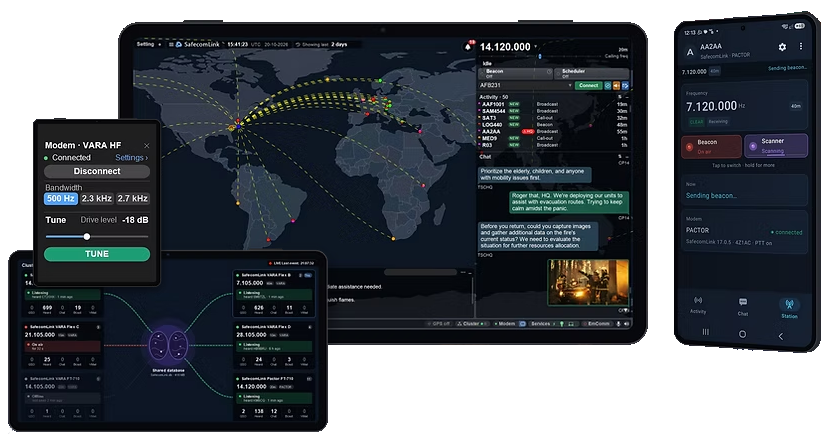
The announcement also describes SafecomLink Go, an Android app that pairs with the station by QR code. It says users can access VMails, broadcasts, QSY, and CQs from the phone while the radio remains at the station.
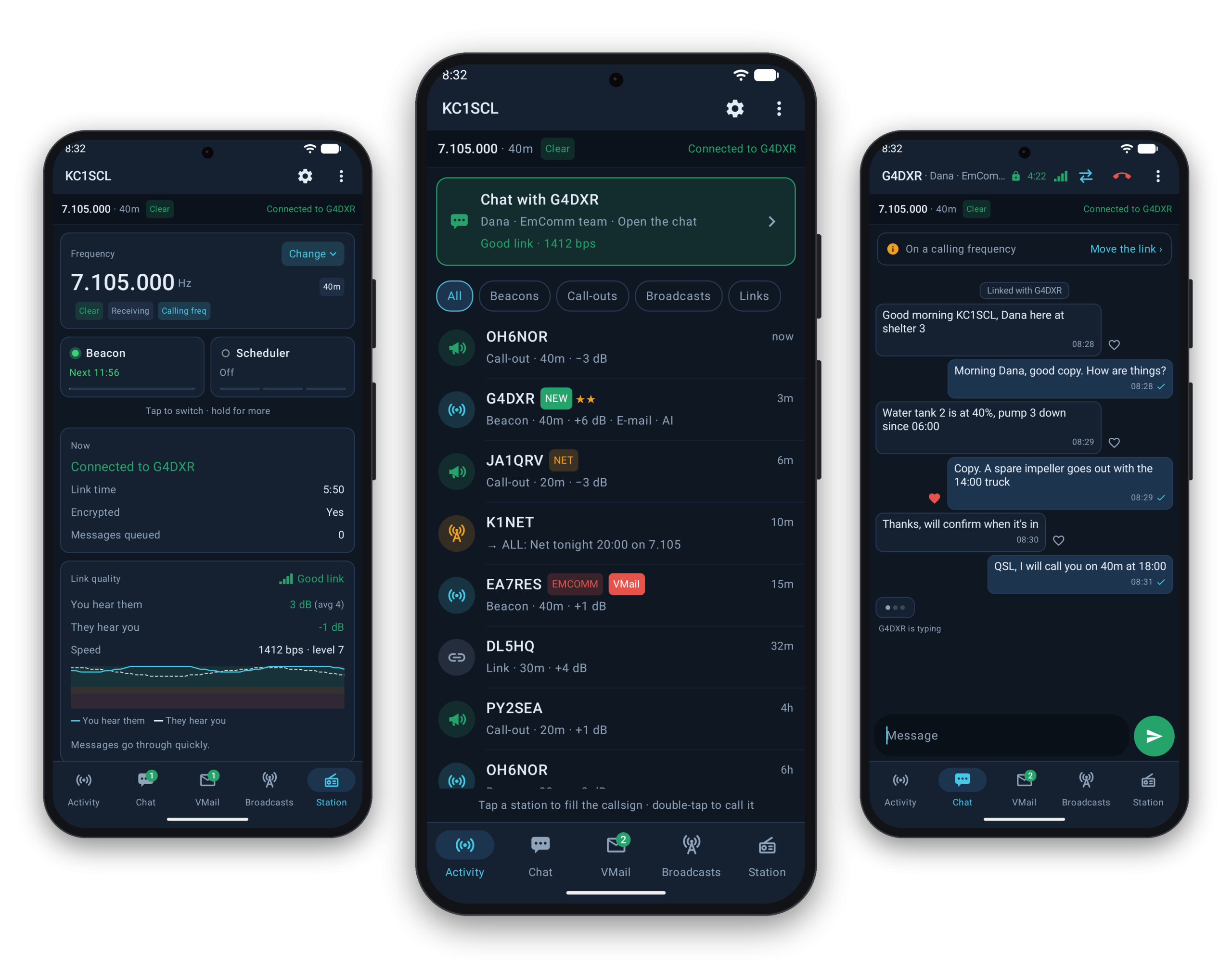
VarAC and SafecomLink serve different needs: operators can continue using VarAC, while those interested in the additional tools can review the Ham Radio Edition details directly with SafecomLink.
Feature descriptions and screenshots in this article are based on the official VarAC V17.1.9 announcement email.